
Microsoft 365 is gaining popularity among small and medium-sized businesses (SMBs) that want to streamline their processes and increase productivity. However, research shows that many SMBs using Microsoft 365 may be vulnerable to cyberattacks due to a lack of adequate security.
Key points you will find in this article:
- Research has shown that more than 90% of SMBs using Microsoft 365 have at least one potential security vulnerability.
- The most common problems are lack of security for Global Administrator accounts, insufficient logging and monitoring, and inadequate password policies.
- Implementing multi-factor authentication (MFA) for all accounts, establishing a centralized login and monitoring system, and enforcing strong password policies are some of the most effective ways to improve the security of a Microsoft 365 environment.
- Microsoft offers many built-in security features, such as Azure Active Directory Premium, Microsoft Defender for Office 365 and Cloud App Security, to help protect your environment.
Challenges in securing Microsoft 365
A survey conducted by cloud and cybersecurity specialist Damian Wroblewski found that more than 90% of SMBs using Microsoft 365 have at least one potential security vulnerability. The most commonly identified problems were lack of security for Global Administrator accounts, insufficient logging and monitoring, and inadequate password policies.
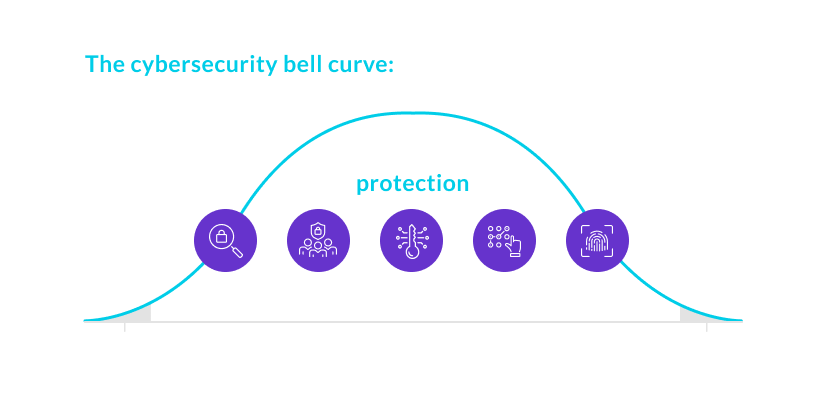
Security prioritization and proactive measures
As an IT decision maker in an SMB using Microsoft 365, it's critical to prioritize security and take proactive steps to protect data and resources. Here are some key points to consider when improving security in Microsoft 365:
- Most common security vulnerabilities: The most common problems include lack of security for Global Administrator accounts, insufficient logging and monitoring, and inadequate password policies. Addressing these issues should be a priority for any SMB using Microsoft 365.
- Multi-factor authentication (MFA): Implementing MFA for all accounts is one of the most effective ways to enhance security in Microsoft 365. MFA adds an extra layer of security by requiring users to authenticate using several forms, such as a password and a verification code sent to their phone.
- Centralized logging and monitoring: Establishing a centralized logging and monitoring system is key to identifying threats and responding to incidents faster. Analyzing data from the Microsoft 365 environment helps detect and eliminate potential security vulnerabilities.
- Strong password policies: Passwords are often the weakest link in security systems. Enforcing strong password policies, such as using complex passwords and changing them regularly, helps prevent password-related attacks and improves overall security.
Microsoft tools to support security
Microsoft offers a number of built-in features and tools to help SMBs secure their Microsoft 365 environment. Key tools include:
- Azure Active Directory Premium
- Microsoft Defender for Office 365
- Cloud App Security
SMBs should take advantage of these tools and configure them to best suit their security needs.
Summary
While cloud services such as Microsoft 365 offer many benefits to SMBs, security should not be neglected. Identifying potential security vulnerabilities in a Microsoft 365 environment and implementing proactive measures such as MFA, centralized logging and monitoring, and strong password policies can help prevent data breaches and other security incidents. Microsoft provides a wide range of security tools and features, but it is up to the organization to implement and configure them according to individual needs.
With individual needs.
Key findings:
- Even if you are using cloud services such as Microsoft 365, you still need to prioritize security and take proactive measures to protect your data and resources.
- Identifying and eliminating potential security vulnerabilities helps prevent data breaches and security incidents.
- Microsoft offers many features and tools to support security in Microsoft 365, but it is up to the organization to use them properly.